Construction Timesheets: Paper vs Excel vs App (+ Free Template)
Quick answer: paper timesheets work for a crew of three on one site. Excel works when one person in the office types everything up and you run a few sites. Once you have crews on several sites, subcontractors to pay or clients to bill by the hour, a construction timesheet app pays for itself: hours are captured at the gate with a time, a GPS location and often a photo, so nobody has to rebuild the week from memory on Friday.
What a construction timesheet must record
Who: worker name, trade, and employer (your own crew or which subcontractor).
Where: project and site. One labourer can work two sites in a day, and each site gets billed separately.
When: date, start time, finish time, and unpaid breaks. Overtime starts from these numbers, so "8 hours" isn't enough.
On what: the task, area or cost code the hours went to, plus a sign-off by the supervisor.
Paper timesheets
Where paper works: a small crew, one site, a foreman who is strict about the sheet. No phones, no training, no cost. If you run a three-person team on a single job, paper is fine and you shouldn't let anyone sell you otherwise.
Where paper fails:
Times are filled in from memory at the end of the day, and nothing proves who was on site.
Every sheet has to be retyped for payroll, and sheets get lost or rained on.
Excel timesheets
Excel adds up hours and overtime for you, but look at where the data comes from. In most firms, Excel isn't replacing the paper sheet; it's sitting behind it. The foreman still writes times on paper (or texts them on WhatsApp), and someone in the office types them into the spreadsheet. You've added a step, not removed one.
Where Excel works: a few sites, one disciplined office person, and crews who send their hours the same day.
Where Excel fails:
The original record is still a note or a text, so paper's accuracy problem carries over.
One broken formula or a "FINAL_v3" file on the wrong laptop, and a week of wages is wrong.
Timesheet apps
A construction timesheet app moves the record to the moment it happens. The worker taps "clock in" on their phone at the gate, and the app stores the time, the GPS location and, in some apps, a photo. At the end of the week the timesheet already exists. Nobody types it.
What good apps add:
GPS and photo clock-in: proof the worker was on the right site, and no more buddy punching.
Hours tied to projects: payroll, job costing and client billing use the same numbers.
Exports: PDF, Excel or CSV straight to payroll.
Where apps fall short: they need phones and crew buy-in. Pick one that records location only at clock-in and clock-out, and say so on day one. Watch per-user pricing too; it adds up fast with subcontractors.
Paper vs Excel vs app: side by side
Paper | Excel | Timesheet app | |
|---|---|---|---|
When hours are recorded | End of day or week | When the office types them | At clock-in and clock-out |
Proof the worker was on site | None | None | GPS, optional photo |
Retyping for payroll | Every sheet | Once | None |
Upfront cost | Free | Free | Monthly subscription |
Best for | 1 site, small crew | A few sites, strong office admin | Multiple sites, subcontractors |
Choose paper if you run one small crew on one site. Choose Excel if you have a few sites and someone in the office who enjoys spreadsheets. Choose an app once you're paying people across several sites or billing clients for labour.
Free construction timesheet template
Copy the table below into Excel or Google Sheets, or print it for the site. One row per worker, per site, per day. The two filled rows are examples.
Date | Worker | Trade / company | Project & site | Task or cost code | Start | Break (min) | Finish | Total hours | Overtime hours | Supervisor sign-off |
|---|---|---|---|---|---|---|---|---|---|---|
Mon 19 Oct | J. Patel | Groundworker / own crew | Riverside Tower, Plot 2 | Drainage run | 07:30 | 30 | 16:30 | 8.5 | 0.5 | M. Okafor |
Mon 19 Oct | S. Murphy | Electrician / Bright Sparks Ltd | Riverside Tower, Level 3 | First fix | 08:00 | 30 | 17:00 | 8.5 | 0.5 | M. Okafor |
Formulas for Excel or Google Sheets (with Start in F, Break in G, Finish in H, and an 8-hour standard day):
Total hours in I2:
=(H2-F2)*24-G2/60Overtime hours in J2:
=MAX(0,I2-8)
Format the Start and Finish columns as time (hh:mm), or the formulas will return nonsense.
How SiteNext handles timesheets
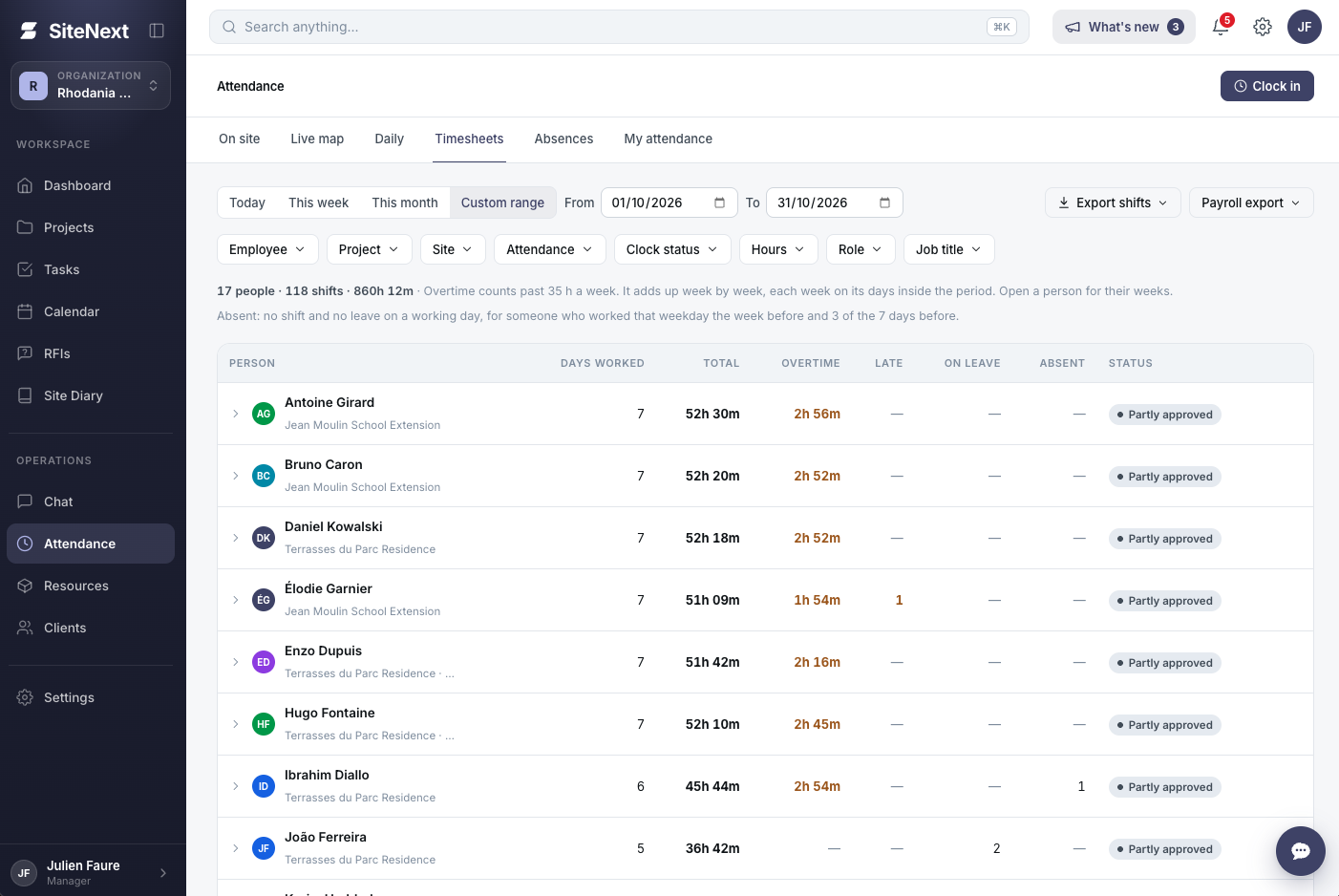
In SiteNext, the timesheet builds itself while the crew works. This is the Team on site screen the site manager sees each morning:
Feature | What it does | Time and work it saves |
|---|---|---|
Photo + GPS clock-in | Workers clock in and out on their phone with a photo, GPS location and timestamp. The app tells them their location is shared first. | No paper sheets, no chasing signatures, no buddy punching. |
GPS match | Checks each clock-in against the site and flags anyone who isn't there (e.g. "180m off"). | No phoning round to check who's really on site. |
Live counters | Clocked in now vs scheduled, on break, and total hours today vs yesterday. | You spot who's missing at 7:30, not on Friday. |
Status filters | One click shows On site, On break, Not clocked or Overtime, by project or worker. | Problems found in seconds instead of scanning a sheet. |
Automatic overtime | Hours over the standard day are flagged in red. | Overtime is caught before payroll, not after. |
Approvals | Overtime and timesheets waiting for sign-off sit in one Pending approvals card. | The manager approves in the app instead of signing paper. |
Weekly timesheet | Week view builds each worker's timesheet from their clock-ins. | Nobody types up the week. |
Export | CSV export, plus PDF and Excel timesheet reports. | Payroll gets a ready file with zero retyping. |
And because you pay per admin, not per worker, adding subcontractors to the same timesheet costs nothing extra.
SiteNext launches in November 2026. Get early access free, or book a 30-minute demo.
FAQ
What should a construction timesheet include?
Worker name, trade and employer, project and site, date, start and finish times, unpaid breaks, the task or cost code, total and overtime hours, and a supervisor sign-off.
How do I calculate overtime on a construction timesheet?
Work out the day's total (finish minus start, minus unpaid breaks), then subtract the standard day in your contract or agreement. In Excel that's =MAX(0,TotalHours-8) for an 8-hour day. Some agreements count overtime weekly instead of daily, so check yours.
Is it legal to track construction workers with GPS?
SiteNext gives you full flexibility over these settings. You can switch GPS tracking, location recording, and related features on or off depending on your company’s needs and the regulations in your country. The available settings allow you to configure how these features work for your team, helping you adapt SiteNext to your local requirements.