The construction site app for field teams
SiteNext works on any iPhone, iPad or Android device. Crews clock in, fill in the diary, take photos and update their tasks from the field, and the office sees it as it happens.
Free during the beta · No credit card
Scroll the screen to explore
The site in your pocket
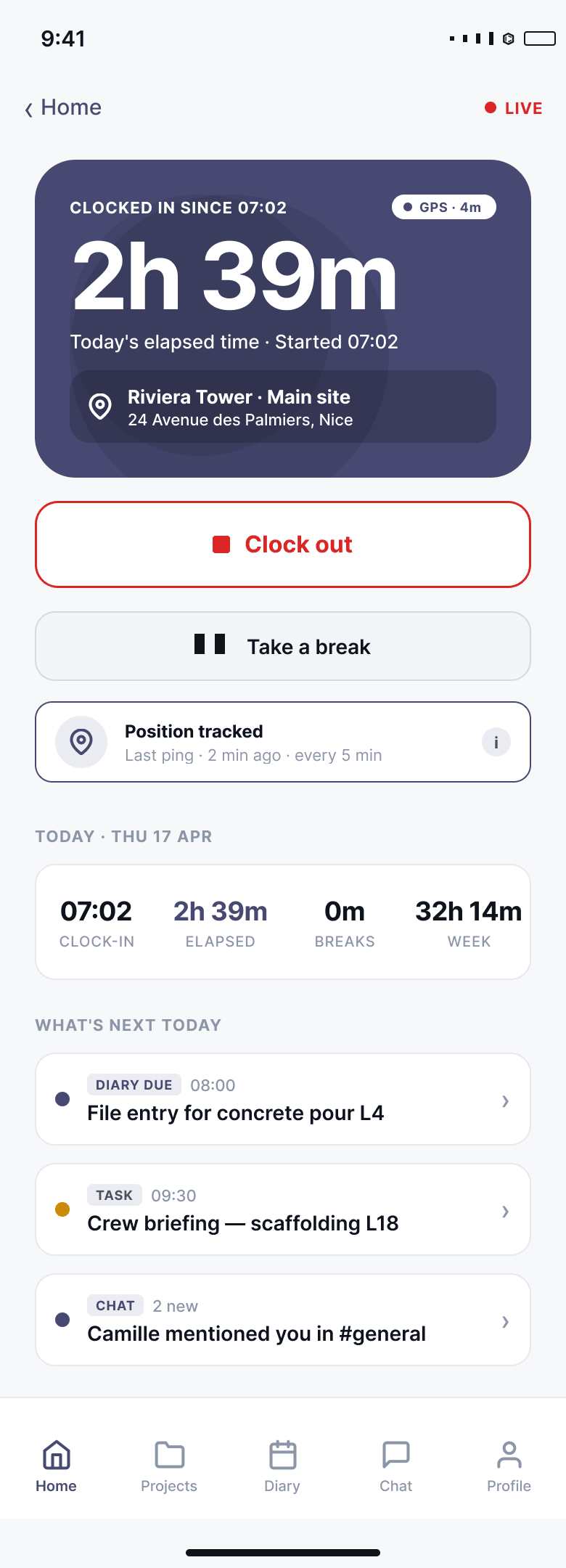
Clock in and out
One tap to start the shift, with the position checked against the site and a photo if your company asks for one.
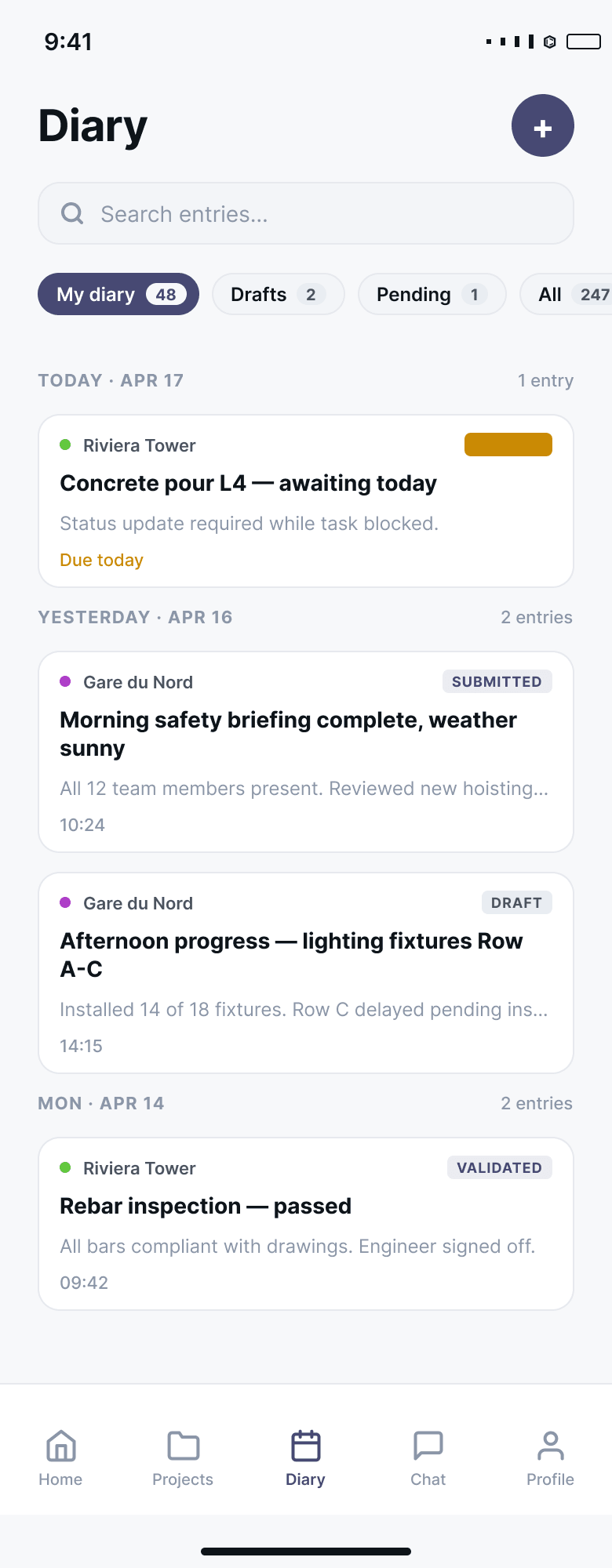
The site diary on a phone
Fill in the daily entry where the work happens, with the camera and the microphone of the phone, and submit it for approval before leaving site.
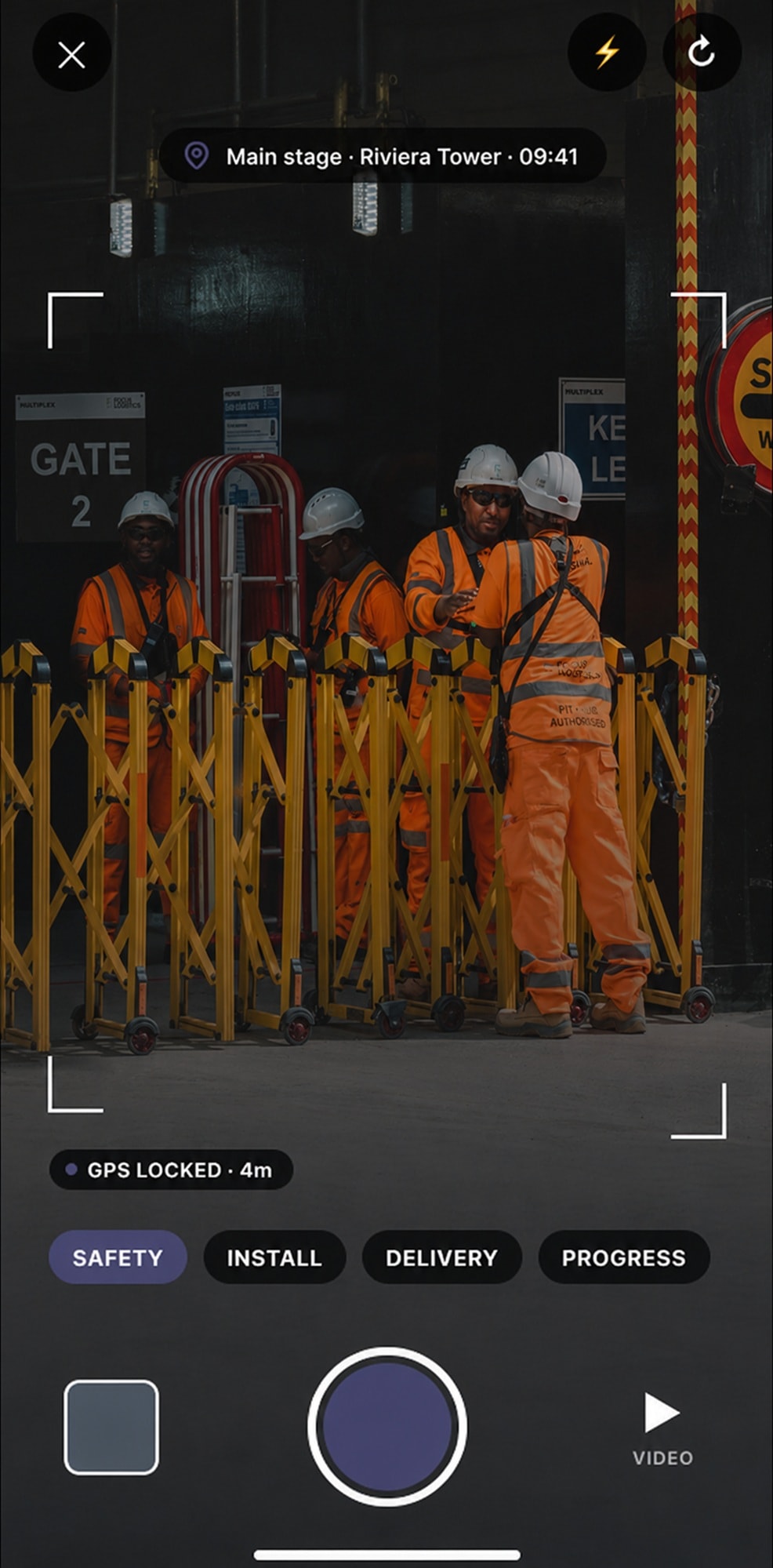
Site photos, filed as you take them
Take photos straight into the project. Each one keeps its date, its site and who took it, and can be tagged so it is found again.
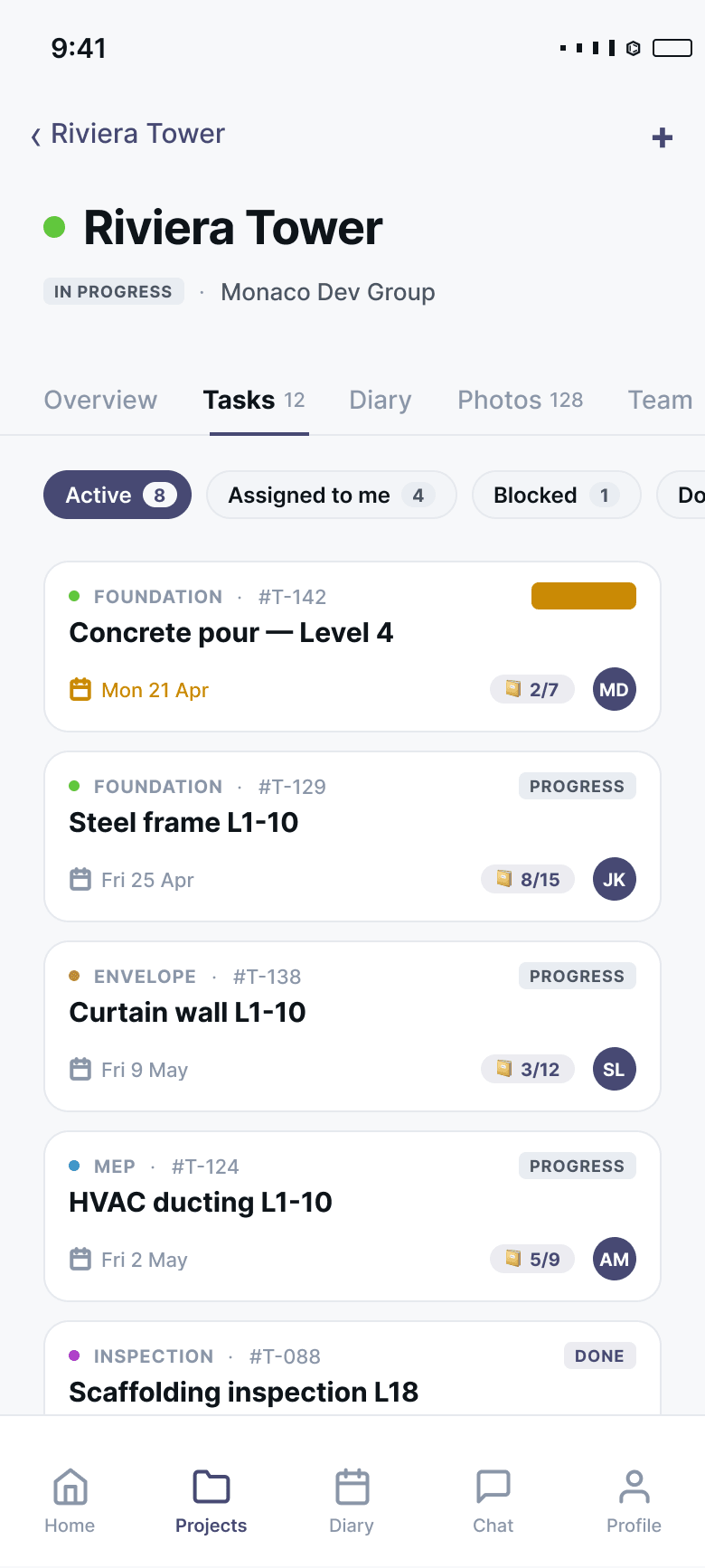
Tasks in the field
See what is assigned to you, tick off the checklist, add the photo evidence and mark the task done.
Chat and voice notes
Answer a question from the office in the project channel or on the task, by text or by voice.
The right view for each role
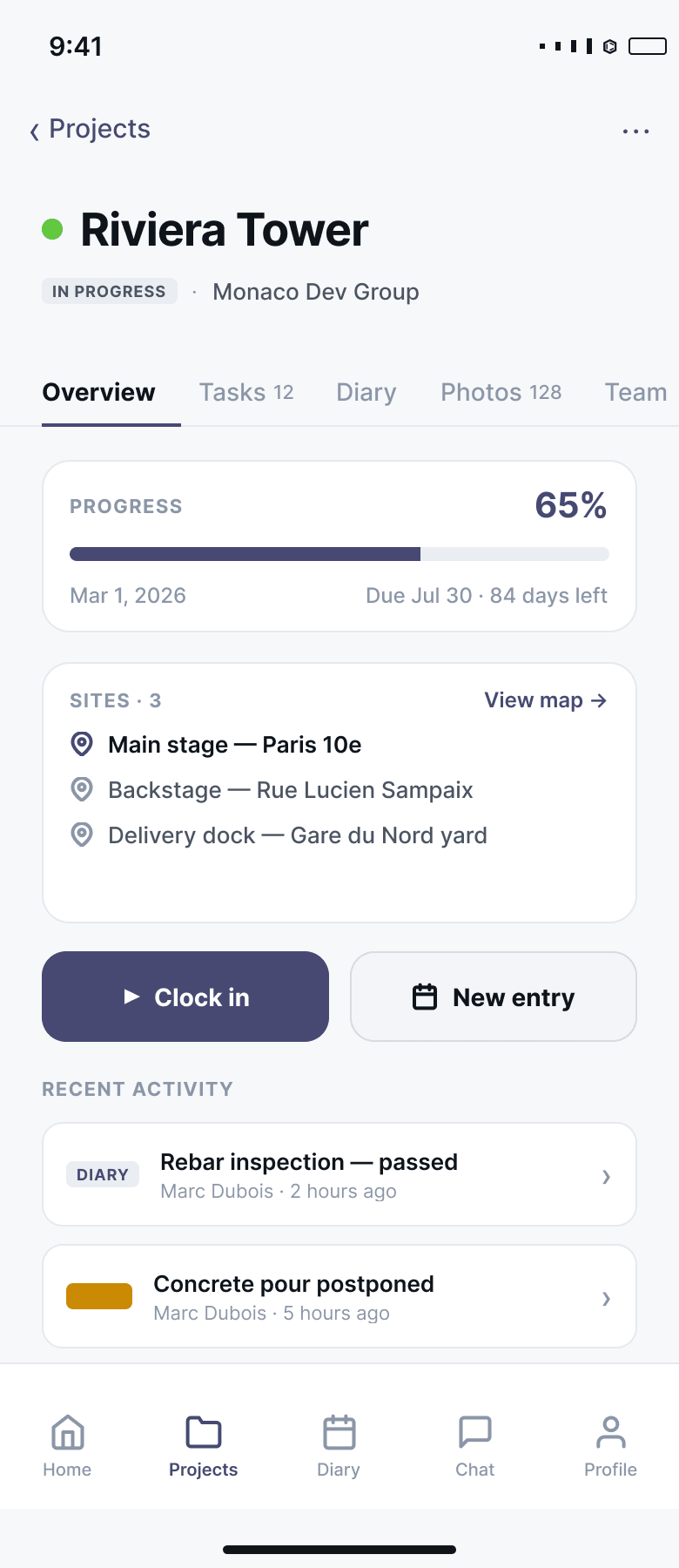
A worker sees their own tasks, hours and projects. Supervisors and managers see more, according to the role you gave them.
Getting a crew started
Invite the team
By email or with a join code they type in. Team members are free, so invite everyone who works on the job.
Open SiteNext on the phone
Sign in from the browser and add SiteNext to the home screen for one-tap access.
Work from site
Clock in, fill in the diary, take photos. The office sees the same data, at the same moment.
Questions about the site app
Which devices does SiteNext work on?
Any recent iPhone, iPad or Android phone or tablet, and any computer with a web browser. The screens adapt to the size of the device.
Do crews need training to use it?
The screens used on site — clocking in, the diary, photos, tasks — are built to be used with one hand and without a manual. Setup and training for your team are included in the plan.
Does it work without mobile signal?
The site diary does: an entry is saved on the phone and sent when the connection returns. Clocking in, chat and the other screens need a connection.
Do I pay for every worker on site?
No. You pay per admin. Engineers, supervisors, site crews, subcontractors and clients all join for free.
Guides on site photos
Practical articles from the SiteNext blog, written for site teams.
Works with the rest of SiteNext
One platform, one login: what is entered in one module shows up where it is needed in the others.
Time tracking
Crews clock in from their phone with GPS and photo; hours roll up into weekly timesheets ready for payroll.
Learn moreSite diary
One structured daily record per site: weather, workforce, progress, photos — approved and exported as a report.
Learn moreTeam chat
Project channels, direct messages and a thread on every task, so decisions stay with the job.
Learn more
Be first on site with SiteNext
We are opening early access to a limited number of construction teams. Join the waitlist and we will reach out the moment it is ready.